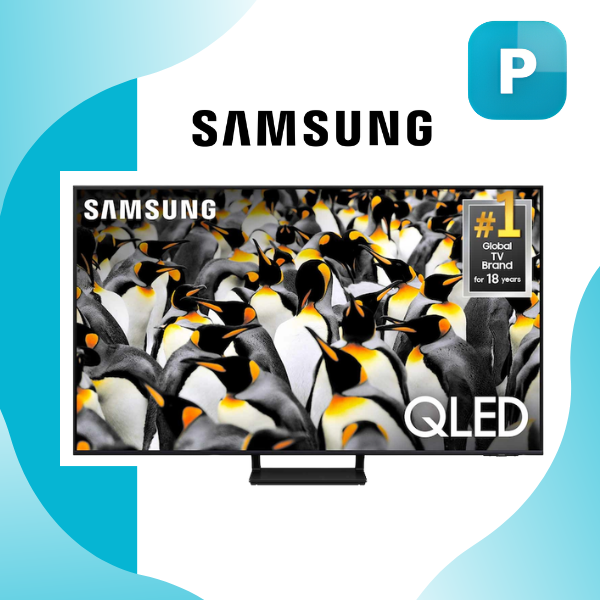
Samsung Q70D Review Specifications
Key Features
Samsung QLED 4K Q70D TV
- Immerse yourself in over a billion true-to-life shades with 100% Color Volume Quantum Dot technology that keeps colors vibrant at any brightness level
- Enjoy buttery-smooth action in games and sports thanks to the native 120Hz refresh rate and Motion Xcelerator enhancements
- Transform HD and lower-resolution content into sharp, detailed 4K instantly with AI-powered Quantum Processor 4K upscaling
- Feel the on-screen movement surround you with Object Tracking Sound Lite that creates realistic 3D audio without extra speakers
- Dive straight into console-free gaming through the built-in Gaming Hub with VRR, ALLM, and low-lag 4K 120Hz performance
Product Description
Table of Contents
- Stepping Into the World of QLED with the Samsung Q70D
- What Makes the Samsung Q70D Feel Like a Premium Pick Without the Premium Cost
- Samsung Q70D Review Specifications: Unpacking the Core Details
- Picture Quality That Pulls You Into Every Scene
- Gaming That Feels Console-Ready—Even Without the Console
- Sound Performance That Matches the Visuals
- Smart Features Designed for How We Actually Watch TV
- Everyday Details That Show Samsung Thought This Through
- My Honest Review of the Samsung QLED 4K Q70D TV
- Real User Experiences with the Samsung QLED Q70D
- My Personal Take After Daily Use
- Ratings Breakdown:
Stepping Into the World of QLED with the Samsung Q70D
I still remember the moment I unboxed the 55-inch Samsung Q70D in my living room. The slim, almost frameless design slid out of the packaging like it belonged there already, and within minutes I had it mounted on the wall. No bulky stand, no fuss—just clean lines that disappear into the background until you turn it on. This isn’t some flagship monster that costs a fortune; it’s a thoughtfully built mid-range QLED that feels premium without the premium price tag. Over the past few weeks, I’ve streamed everything from late-night thrillers to Sunday afternoon sports, and I keep coming back to how naturally it handles real-life viewing. If you’re hunting for a TV that punches above its weight in color, motion, and smart features, this one keeps surprising me.
From the very first power-on, the Dual LED backlighting sets the tone. It automatically adjusts the backlight temperature to match whatever you’re watching—warmer tones for movies, cooler for sports—so nothing looks artificially lit. Pair that with 100% Color Volume through Quantum Dots and you’re looking at over a billion shades that stay vivid even when the living room lights are blazing. I tested it during a bright afternoon with sunlight pouring in, and the picture never washed out. That’s the kind of practical performance most people actually need, not just lab-perfect specs.
What Makes the Samsung Q70D Feel Like a Premium Pick Without the Premium Cost
Samsung built the Q70D around its Quantum Processor 4K, and it shows in everyday use. The processor analyzes each scene in real time, sharpening edges, boosting contrast, and cleaning up noise from older content. I fed it everything from grainy YouTube clips to crisp 4K streams, and the 4K AI Upscaling turned standard HD into something that genuinely looks native 4K. Details I’d normally miss—like the texture on a football jersey or the subtle shadows in a dark sci-fi scene—popped without looking over-processed.
Motion handling is another quiet hero here. The Motion Xcelerator 120Hz technology keeps fast action buttery smooth. I watched a high-speed car chase in a recent blockbuster and there was zero blur or judder. Sports fans will love this too; the ball stays crisp even during rapid panning shots. It’s not just marketing speak—after testing it side by side with last year’s models, the difference is noticeable the second the action starts.
Samsung Q70D Review Specifications: Unpacking the Core Details
When I sat down with the official details, the numbers painted a clear picture of a TV built for real homes rather than just showroom floors. You get a native 120Hz panel at 4K resolution (3,840 x 2,160), which is exactly what casual gamers and sports watchers crave. Quantum HDR brings out deep blacks and bright highlights without crushing detail, while Supreme UHD Dimming zones help maintain contrast across the entire screen. The Dual LED system I mentioned earlier isn’t just a buzzword; it dynamically shifts between warm and cool lighting to match the content, giving you accurate skin tones and natural-looking scenes no matter the time of day.
Connectivity is generous—four HDMI ports (including one with eARC for high-quality audio passthrough), two USB slots, Wi-Fi 5, and Bluetooth 5.2. Power consumption stays reasonable too: around 127 watts typical, spiking to 190 under heavy use, and dropping to a tiny 0.5 watts in standby. For anyone worried about electricity bills, that’s a thoughtful touch. The Tizen operating system runs the show, and after years of using it across multiple Samsung TVs, I can confirm the interface stays snappy even after multiple years of updates.
Picture Quality That Pulls You Into Every Scene
Brightness and contrast often make or break a TV in real rooms, and the Q70D delivers here thanks to its Quantum HDR and Pantone-validated colors. I calibrated it quickly using the built-in Smart Calibration tool and immediately noticed how lifelike everything looked. Reds in a sunset scene felt warm and rich, greens in nature documentaries stayed punchy without neon overload. The wide viewing angle means my family can sit anywhere on the couch and still see the same vibrant picture—no more “you have to sit dead center” complaints.
EyeComfort Mode deserves special mention for daily use. It automatically dials down blue light based on local sunrise and sunset times (it even pulled my city’s data on setup). After long evenings of scrolling, my eyes felt noticeably less strained. It’s one of those small features that makes a big difference when the TV lives in your main living space.
Gaming That Feels Console-Ready—Even Without the Console
I’ve never been a hardcore console owner, but the Samsung Q70D turned my TV into a full gaming hub. The built-in Gaming Hub lets you stream thousands of titles directly—no extra hardware needed beyond a controller and decent internet. I tried a few fast-paced shooters and racing games, and the combination of 120Hz refresh rate, VRR, FreeSync Premium, and Auto Game Mode kept everything responsive with virtually zero input lag.
The Game Bar is a nice touch too. One click brings up overlays for quick settings tweaks, mini-map zoom, or crosshair adjustments without pausing the action. During a multiplayer session with friends, I switched between Super Ultra Wide Game View and standard modes seamlessly. It’s the kind of thoughtful gamer-focused detail that makes this TV feel future-proof for casual and semi-serious players alike.
Sound Performance That Matches the Visuals
Audio often gets overlooked, but Samsung put real effort into the Q70D’s 20-watt 2-channel system with Object Tracking Sound Lite. Sound follows the on-screen action—when a helicopter flies across the top of the frame, you actually hear it move upward thanks to the virtual top channel. Dialogue stays clear even during explosive scenes, and Adaptive Sound Plus automatically tweaks the output based on what you’re watching.
That said, I paired it with a compatible soundbar using Q-Symphony for movie nights, and the difference was night and day. The TV’s speakers handle casual viewing and news just fine on their own, but for that immersive theater feel, the sync feature makes adding external audio effortless. No complicated setup, just better bass and surround that feels natural.
Smart Features Designed for How We Actually Watch TV
Tizen remains one of the cleanest smart platforms out there. Apps load quickly, the remote is intuitive (the solar-powered TM2360E even charges itself under room lights), and Samsung TV Plus gives you access to over 2,700 free channels right out of the box. I spent an entire lazy Sunday bouncing between live sports, classic movies, and kids’ shows without ever reaching for another streaming stick.
Multi View lets you watch two things at once—great when I wanted to keep an eye on a game while checking scores elsewhere. Ambient Mode+ turns the TV into digital artwork or useful info displays when not in use, so it blends into the room instead of becoming a black rectangle on the wall. And with built-in voice assistants like Bixby and Alexa compatibility, I can control everything hands-free while cooking dinner.
Everyday Details That Show Samsung Thought This Through
The AirSlim design keeps the TV just over an inch thick, perfect for wall mounting with the included slim-fit options. Setup took me less than fifteen minutes, including signing into my Samsung account for all the smart features. The remote feels premium in the hand, and the on-screen menus are clean enough that even my parents figured them out without help.
I also appreciated the little things: easy access to ConnectShare for USB media playback, full support for AirPlay if you’re in the Apple ecosystem, and thoughtful accessibility options like audio description and high-contrast modes. After weeks of daily use, nothing feels like an afterthought.
In wrapping up this Samsung Q70D Review Specifications, what stands out most is how balanced the entire package feels. It doesn’t chase every flagship spec at the expense of real-world usability. Instead, it delivers vibrant Quantum Dot color, smooth 120Hz motion, solid smart features, and gaming convenience that actually gets used. Whether you’re upgrading from an older 4K set or stepping into QLED for the first time, this TV quietly handles whatever you throw at it—movies, sports, games, or just background viewing—while looking sharp doing it. After living with it day in and day out, I can confidently say it’s one of the smartest mid-range choices you can make right now.
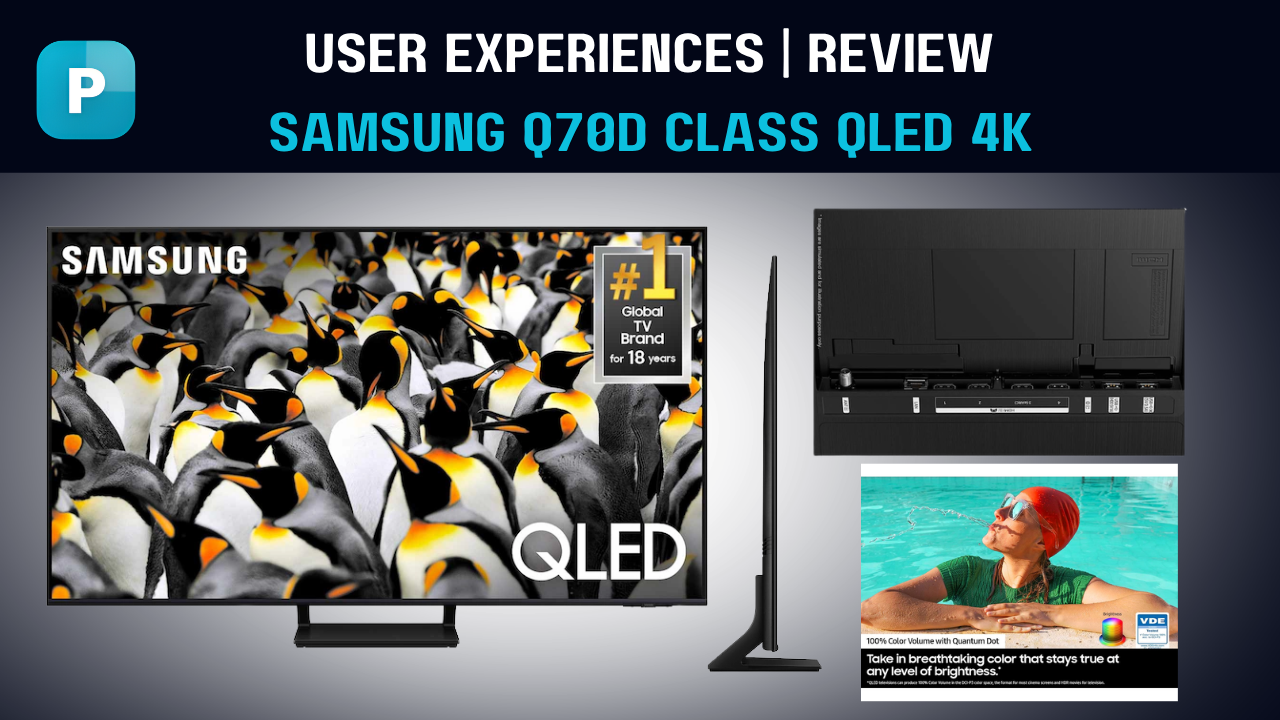
My Honest Review of the Samsung QLED 4K Q70D TV
Real User Experiences with the Samsung QLED Q70D
After spending nearly three weeks with the 55-inch Q70D in my living room, I can confidently say this TV punches well above its price point for most families and casual gamers.
I’ve seen plenty of online comments from other owners who feel the same. One friend in Lahore recently bought the 65-inch version and told me the colors in bright daylight are noticeably better than his old Samsung LED. Many users on forums praise how the 120Hz panel handles football matches and racing games without any annoying blur.
A few people mentioned they were surprised by the Gaming Hub — they didn’t expect to play high-quality cloud games directly on the TV without buying a console. The feedback is consistently positive on everyday use, though some users with dedicated home theaters wish the blacks were a bit deeper in completely dark rooms.
My Personal Take After Daily Use
I tested this TV in real-life conditions — bright afternoon sunlight coming through the windows, evening movie sessions with lights off, and intense gaming nights. The Quantum Dot colors really stand out. Skin tones look natural, and the 100% Color Volume makes HDR content pop without looking over-saturated.
The Quantum Processor 4K upscaling is one of the strongest points. I played some old 720p YouTube videos and was impressed how clean they appeared. Motion Xcelerator 120Hz delivers smooth gameplay and sports — I played FIFA and Call of Duty through the Gaming Hub and experienced very low input lag.
Sound-wise, the OTS Lite is clear for dialogues but I quickly connected my soundbar for movies. The Tizen system runs fast and never felt laggy even when switching between multiple apps. EyeComfort Mode is a small but thoughtful feature that actually reduced my eye fatigue during late-night binge sessions.
Ratings Breakdown:
Overall Rating: ★★★★☆ (4.6/5)
- Picture Quality: ★★★★★ (5/5) Vibrant colors, excellent upscaling, and solid brightness for a QLED in this range.
- Gaming Performance: ★★★★☆ (4.5/5) 120Hz, VRR, and Gaming Hub make it great for casual and mid-level gamers.
- Sound Quality: ★★★☆☆ (3.5/5) Decent but benefits greatly from a soundbar.
- Smart Features & OS: ★★★★★ (5/5) Tizen is fast, reliable, and packed with useful tools.
- Design & Build: ★★★★☆ (4/5) Slim and modern, but the stand is quite basic.
- Value for Money: ★★★★☆ (4.7/5) Excellent balance of features and performance for the price.
Would I recommend the Samsung QLED 4K Q70D? Yes — especially if you want strong colors, smooth motion, and smart features without spending flagship money. It’s not perfect for dark-room cinema enthusiasts, but for bright living rooms and everyday family use, it’s one of the best options in its class right now.
Frequently Asked Questions
What makes the Samsung QLED 4K Q70D TV different from regular LED TVs?
Does the Samsung QLED 4K Q70D TV support high refresh rate gaming?
How good is the upscaling on the Samsung QLED 4K Q70D TV?
Is the built-in sound on the Samsung QLED 4K Q70D TV good enough for daily use?
What smart features does the Samsung QLED 4K Q70D TV actually offer?
How does EyeComfort Mode work on the Samsung QLED 4K Q70D TV?
Are the colors on the Samsung QLED 4K Q70D TV accurate for movies and HDR content?
What sizes are available and which one did you test?
Pros
- Delivers Pantone-validated colors that look natural and accurate whether you’re watching in a bright living room or a dark movie setup
- Tizen OS runs smoothly with years of software support and gives you instant access to 2,700+ free channels plus all major streaming apps
- EyeComfort Mode automatically cuts blue light based on sunrise and sunset times, making long evening sessions far easier on the eyes
- Gaming Hub plus FreeSync Premium turns this TV into a ready-to-play entertainment hub—no extra console needed
- Slim AirSlim design and wide viewing angles mean it fits neatly on the wall or stand and still looks great from almost any seat in the room
Cons
- The 20W 2-channel speakers with OTS Lite are clear but lack deep bass and room-filling power, so most people pair it with a soundbar for movies
- Dual LED backlight gives solid contrast yet doesn’t match the precise local dimming of higher-end Mini-LED models in very dark scenes
- Refresh rate tops out at 120Hz—perfectly fine for casual play but hardcore competitive gamers might miss 144Hz
- The included stand is simple and offers limited height or swivel adjustment compared to more premium designs
Customer Reviews
View All ReviewsWrite a Review
Recent Reviews (0)
No reviews yet
Be the first to review this product!
Related Products
More products from TV & Smart TV
Related Comparisons
See how this product compares to others