Audio Devices

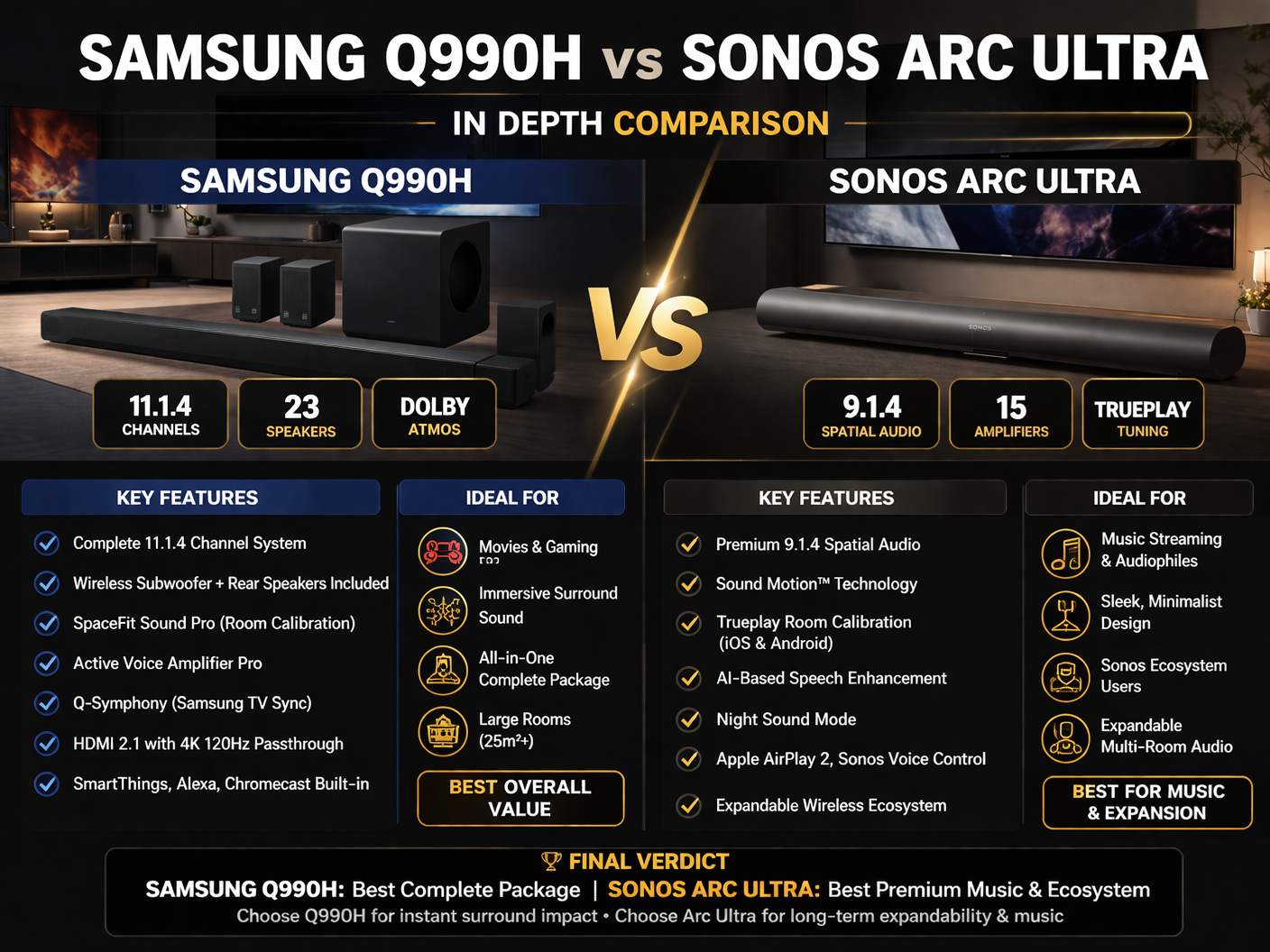
Samsung Q990H vs Sonos Arc Ultra In Depth Comparison

5 views March 21, 2026 Last updated: Mar 21, 2026 9 min read
Login to Save

Detailed Comparison

SpecificationSamsung Q990HSonos Arc Ultra
System TypeComplete home theater system (soundbar + subwoofer + rear speakers)Standalone soundbar (expandable system)
Channel Configuration11.1.4 channels9.1.4 channels
Total Speakers23 speakers15 drivers (7 tweeters + 6 midwoofers + woofer system)
Audio TechnologyDolby Atmos, SpaceFit Sound Pro, Adaptive SoundDolby Atmos, Trueplay tuning, AI Speech Enhancement
SubwooferIncluded wireless subwooferNot included (optional purchase)
Rear SpeakersIncluded wireless rear speakersNot included (optional purchase)
Sound ProfilePowerful, immersive, bass-heavyBalanced, precise, music-focused
Room CalibrationSpaceFit Sound ProTrueplay (iOS & Android)
Voice EnhancementActive Voice Amplifier ProAI Speech Enhancement
Night ModeYesYes (Night Sound)
Connectivity (HDMI)2 HDMI inputs + 1 HDMI output (eARC, 4K 120Hz passthrough)1 HDMI eARC port
Other InputsOptical input availableNo optical input
Wireless ConnectivityWi-Fi, Bluetooth 5.3Wi-Fi, Bluetooth
Streaming SupportChromecast, Spotify Connect, AirPlay, Roon ReadyAirPlay 2, Sonos app ecosystem
Voice AssistantsGoogle AssistantAmazon Alexa, Sonos Voice Control
Smart EcosystemSmartThings integrationSonos multi-room ecosystem
Gaming Features4K 120Hz passthrough, Game Pro modeNot gaming-focused
DesignLarge bar with separate components (matte black)Slim, curved, minimalist design
Dimensions (Soundbar)1232 mm width, 70.8 mm heightCompact low-profile design (exact size not specified)
Weight (Soundbar)7.3 kgLighter than Samsung (exact weight not specified)
Mounting OptionsTabletop + wall mount (brackets included)Tabletop + wall mount (brackets sold separately)
Setup TypeReady-to-use full system out of the boxExpandable system (requires add-ons for full surround)

Full Technical Specifications

Feature Samsung Q990H Soundbar Review Specifications Sonos Arc Ultra Soundbar Review Specifications
Accessories Remote Controller, Wall Mount Bracket -
Additional Features - TV Audio Swap, Multi-device headphone connection (Sonos Ace)
Amplifiers - 15 Class-D Digital Amplifiers
Audio Channels - 9.1.4 Spatial Audio
Audio Features SpaceFit Sound Pro, Active Voice Amplifier Pro, Night Mode, Voice Enhance Speech Enhancement (AI-based), Night Sound, Adjustable EQ
Audio Technology - Sound Motion™ Technology, Dolby Atmos
Bluetooth Yes (Version 5.3) -
Channel Configuration 11.1.4 -
Color Titan Black -
Connectivity - WiFi, Bluetooth
Control Options - TV Remote, Sonos App, Touch Controls, Voice Control
Decoding Formats MP3, AAC, OGG, FLAC, WAV, ALAC, AIFF -
Design - Slim, curved, low-profile with matte finish
Dolby Audio Support Dolby Atmos, Dolby Digital Plus, Dolby TrueHD, Dolby 5.1ch, Atmos Music -
Energy Star No -
Expandable System - Compatible with Sonos Sub and Era 300 rear speakers
Free Voltage Yes -
HDMI - HDMI eARC
HDMI ARC Yes (eARC) -
HDMI CEC Yes -
HDMI Input 2 -
HDMI Output 1 -
HDR Support HDR10+ -
Main Unit Dimensions (WxHxD) 1232.0 x 70.8 x 138.0 mm -
Main Unit Weight 7.3 kg -
Material - Includes recycled materials
Microphones - Far-field microphone array with beamforming and echo cancellation
Midwoofers - 6 Midwoofers
Multi-room Support - Yes (with Sonos ecosystem speakers)
Number of Speakers 23 -
Optical Input 1 -
Power Consumption (Main) 41 W (Operating), 0.5 W (Standby) -
Power Consumption (Rear) 19 W (Operating), 0.5 W (Standby) -
Power Consumption (Subwoofer) 48 W (Operating), 0.5 W (Standby) -
Product Name Samsung Q-Series Soundbar HW-Q990H (2026) Sonos Arc Ultra Soundbar
Rear Speaker Dimensions 129.5 x 201.3 x 140.4 mm -
Rear Speakers Weight 3.4 kg -
Room Tuning - Trueplay™ (iOS & Android compatible)
Setup - Quick setup via Sonos app with HDMI connection
Smart Features SmartThings App, Chromecast, Spotify Connect, AirPlay, Roon Ready -
Sound Modes Surround, Game Pro, Standard, Adaptive Sound -
Speaker Type Front-firing, Side-firing, Up-firing, Center speaker -
Streaming Support - Apple AirPlay 2
Subwoofer Dimensions 249.0 x 251.8 x 249.0 mm -
Subwoofer Weight 8.3 kg -
Supported Audio Formats - Stereo PCM, Dolby Digital, Dolby Digital Plus, Dolby Atmos, Dolby TrueHD, Multichannel PCM, DTS Digital Surround
Tweeters - 7 Silk-Dome Tweeters (including upward-firing)
Usage - Home theater, music streaming, multi-room audio
Video Pass Through 4K @ 120Hz -
Voice Assistant Support Works with Google Assistant -
Voice Control - Sonos Voice Control, Amazon Alexa
Wi-Fi Yes -
Wireless Rear Speakers Included (Up-firing) -
Wireless Subwoofer Included -
Woofers - Sound Motion™ dual-membrane woofer (4-motor design)

Comparison Overview

Samsung Q990H vs Sonos Arc Ultra In Depth Comparison

After spending several months swapping these two premium soundbars in and out of my living room setup, I can tell you firsthand that the choice between a fully loaded system and a sleek, expandable bar isn’t as simple as the specs suggest. I’ve tested them with everything from blockbuster movies on my 4K TV to late-night playlists and intense gaming sessions, all while dealing with real-world issues like room acoustics, cable clutter, and family movie nights. In this Samsung Q990H vs Sonos Arc Ultra In Depth Comparison, I’ll walk you through the practical differences that actually matter when you’re sitting on the couch, not just staring at a spec sheet.

Exploring Design and Build Quality Differences

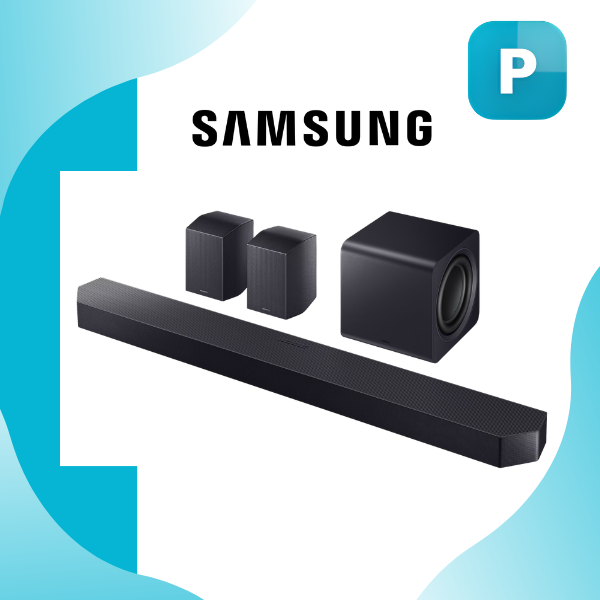
The Samsung Q990H feels like a complete home theater kit straight out of the box, and that shows in how it occupies space. The main bar stretches a full 1232 mm wide, sitting at just 70.8 mm tall, which keeps it low-profile enough to sit neatly below most TVs without blocking the screen. Its Titan Black finish has a subtle matte texture that hides fingerprints better than you’d expect, and the whole package weighs in at 7.3 kg for the bar alone. What really changes the game is the included wireless subwoofer and pair of rear speakers. The sub is a chunky 249 mm cube weighing 8.3 kg, while each rear speaker is compact at 129.5 x 201.3 x 140.4 mm and 3.4 kg, making them easy to tuck behind the sofa or mount on the wall with the included brackets. Everything connects wirelessly, so you avoid running speaker wire across the room, which was a huge relief during my setup in a typical open-plan apartment.

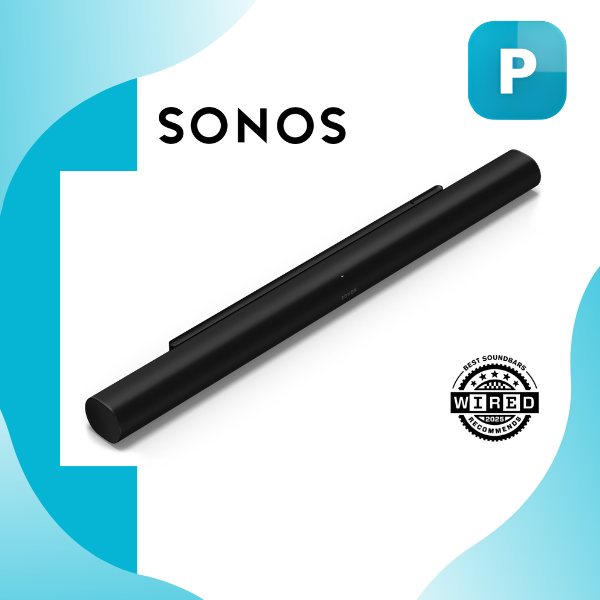
In contrast, the Sonos Arc Ultra takes a completely different approach with its slim, curved design that screams minimalism. It’s noticeably lower-profile with a matte finish that blends into modern living rooms, and it incorporates recycled materials, giving it a premium eco-conscious feel that I appreciated every time I dusted it. The bar itself is compact enough to disappear under the TV, but here’s the catch: this is just the soundbar. There’s no subwoofer or rear speakers included, so if you want that full surround experience, you’re looking at extra purchases down the line. From a daily-use perspective, the Samsung setup feels more “ready to go” for someone who wants immersive sound without shopping for add-ons, while the Sonos wins if your living room prioritizes clean lines and you’re okay building the system gradually.

I’ve placed both in the same room multiple times, and the Samsung’s wireless rears and sub give you immediate flexibility to position them exactly where the soundstage needs them, whereas the Sonos relies on its built-in drivers until you expand. Both systems support wall mounting, but the Samsung bundle includes the brackets, saving you an extra trip to the hardware store. In real life, the Samsung feels bulkier overall because of the separate components, yet it disappears neatly once placed, while the Sonos looks sleeker but leaves you wanting more out of the box.

Breaking Down the Audio Performance

This is where the rubber meets the road, and after hours of listening tests, the differences in how these systems deliver sound are striking. The Samsung Q990H rocks an 11.1.4 channel configuration with a whopping 23 individual speakers, including front-firing, side-firing, up-firing, and a dedicated center channel. That extra channel count translates to a wider, taller soundstage that genuinely wraps around you during scenes like the helicopter chases in action movies. The wireless subwoofer delivers deep, rumbling bass that you feel in your chest, especially in Game Pro mode or when Adaptive Sound kicks in to analyze what’s playing. Features like SpaceFit Sound Pro automatically tune the audio to your room’s layout, and the Active Voice Amplifier Pro keeps dialogue crystal clear even when explosions are going off, which saved me from constantly reaching for the remote during family movie nights. Night Mode tames the bass for late viewing without waking the neighbors, and I found the Surround mode particularly impressive for creating that theater-like bubble.

Switching over to the Sonos Arc Ultra, you get a 9.1.4 spatial audio setup powered by some seriously clever engineering. There are 15 Class-D digital amplifiers driving 7 silk-dome tweeters (including upward-firing ones) and 6 midwoofers, plus that unique Sound Motion dual-membrane woofer with its four-motor design. The bass here is tighter and more controlled rather than booming, which makes it fantastic for music where you want accurate low-end without muddiness. Trueplay room tuning, which works with both iOS and Android now, is a game-changer; I ran the quick calibration twice in my living room and noticed an immediate lift in clarity and balance. The AI-based Speech Enhancement cuts through noisy scenes better than most systems I’ve tried, and Night Sound mode is gentler on the ears than traditional night modes. During my tests, Dolby Atmos content sounded incredibly detailed, with height effects that felt precise rather than exaggerated.

In this Samsung Q990H vs Sonos Arc Ultra In Depth Comparison, the Samsung edges ahead for sheer power and that full-surround feeling right away, especially in larger rooms or when watching action-packed content. The dedicated sub and up-firing rears create a more enveloping experience for movies and games. The Sonos, however, shines with musicality and precision, making streaming services feel more like a high-end audio system than a TV add-on. Neither is “bad” at anything, but if your evenings involve more explosions than acoustic guitars, the Samsung delivers more immediate wow factor.

Connectivity, Smart Features, and Everyday Usability

When you actually live with these systems day to day, the way they connect to the rest of your tech matters more than raw power. The Samsung Q990H gives you real flexibility with two HDMI inputs, one HDMI output supporting 4K at 120Hz pass-through, plus HDMI eARC and even an optical input. That means you can plug in a gaming console and Blu-ray player directly and still get full 4K HDR10+ quality to your TV without extra switches. Bluetooth 5.3 is rock-solid for quick phone pairing, and the built-in Wi-Fi opens up SmartThings integration, Chromecast, Spotify Connect, AirPlay, and Roon Ready support. I loved being able to cast directly from my phone or control everything through the SmartThings app without juggling multiple remotes. Voice control works smoothly with Google Assistant, and the remote is simple enough that my non-tech-savvy family members picked it up instantly.

The Sonos Arc Ultra keeps things streamlined with HDMI eARC as its main connection, plus Wi-Fi and Bluetooth. It leans heavily into the Sonos ecosystem with Apple AirPlay 2, Sonos Voice Control, and Amazon Alexa built right in. The Sonos app is intuitive for adjusting EQ, setting up multi-room audio, and even swapping TV audio to headphones if you have the Sonos Ace. I found the touch controls on the bar responsive, and the ability to expand into a full wireless multi-room setup is seamless once you add compatible speakers. However, there’s no optical input and only one HDMI connection, so if your setup includes multiple devices, you might need an external switch.

Both handle Dolby Atmos and most major formats beautifully, but the Samsung feels more future-proof for gamers with that 4K 120Hz passthrough and Game Pro mode. In daily use, the Samsung’s extra inputs and broader smart features made it easier to integrate into a mixed-brand home, while the Sonos felt like the heart of a dedicated audio ecosystem. Setup for both is straightforward via their respective apps, but the Samsung’s wireless rears paired instantly, saving me the hassle of positioning extra wires.

Final Verdict

After all the testing, swapping components, and real-life evenings spent comparing them side by side, this Samsung Q990H vs Sonos Arc Ultra In Depth Comparison boils down to what you actually need right now. The Samsung Q990H wins for most people because it delivers a complete 11.1.4 immersive system out of the box with powerful bass, crystal-clear dialogue tools, and enough inputs to handle any TV setup without extra gear. It’s the practical choice that feels like a finished theater the moment you unbox it, especially if you want big, room-filling sound without planning future upgrades.

The Sonos Arc Ultra, on the other hand, excels if you’re already in the Sonos world or prioritize pristine music playback and room-specific tuning. Its innovative drivers and expandable nature make it a long-term investment that grows with you, though you’ll spend more to reach full surround potential. Honestly, there’s no wrong pick here, but if I had to choose one for my own living room today, I’d go with the Samsung Q990H for its immediate impact and complete package. Both elevate your TV experience dramatically; just match the system to your lifestyle and you’ll be smiling every time the opening credits roll.

Community Choice

Which one would you choose?

0%
0%

User Feedback

Leave a comment

Recent Feedback (0)

No feedback yet

Be the first to share your thoughts!

Frequently Asked Questions

Q: Which soundbar is better for a "complete" home theater experience right out of the box?

A: The Samsung Q990H is the clear winner here. It comes as a complete 11.1.4-channel system with a wireless subwoofer and rear speakers included. You don’t need to buy anything else to get full surround sound. The Sonos Arc Ultra, while amazing, is just a single soundbar; to match the Samsung’s immersive setup, you’d need to purchase a separate subwoofer and rear speakers later.

Q: How does the bass performance compare between the Samsung Q990H and Sonos Arc Ultra?

A: They take very different approaches. The Samsung Q990H’s dedicated subwoofer delivers that deep, rumbling, chest-thumping bass that makes action movies and games feel explosive. It’s powerful and boomy. The Sonos Arc Ultra uses a clever built-in "Sound Motion" woofer that produces surprisingly tight, controlled, and accurate bass. It’s more refined for music, but it can’t match the physical impact of the Samsung’s dedicated sub.

Q: Which soundbar is better for gaming on a PS5 or Xbox Series X?

A: For gamers, the Samsung Q990H is the more practical choice. It includes two HDMI inputs that support 4K at 120Hz pass-through, letting you connect your console directly to the soundbar without losing any high-frame-rate visuals. It also has a dedicated "Game Pro" mode that optimizes the sound for directional cues. The Sonos Arc Ultra only has a single HDMI eARC connection, which is fine, but it lacks the dedicated passthrough features for next-gen consoles.

Q: Which one sounds better for playing music?

A: This is where the Sonos Arc Ultra really shines. Its engineering, with 15 dedicated amplifiers and precise drivers, focuses on musical accuracy and clarity. When paired with its excellent Trueplay room-tuning feature, it creates a soundstage that feels less like a TV speaker and more like a high-quality stereo system. The Samsung is no slouch, but its strength is in bombastic movie soundtracks, whereas the Sonos feels more refined and musical.

Q: How do these soundbars handle dialogue and late-night viewing?

A: Both are excellent, but they achieve it differently. The Samsung Q990H uses an "Active Voice Amplifier Pro" that constantly monitors the scene and automatically boosts dialogue when background noise (like explosions or music) gets loud. It also has a dedicated Night Mode. The Sonos Arc Ultra uses AI-based Speech Enhancement that does a fantastic job of cutting through the mix, and its Night Sound mode is notably gentle, making it great for not disturbing others without making everything feel muffled.

Q: Which system is easier to set up and live with in a typical living room?

A: It depends on your priority. The Samsung Q990H requires more physical space because of the separate subwoofer and rear speakers, but the wireless setup is a huge win—you place them where you want and they connect automatically. It also has more HDMI ports, which is great if you have multiple devices. The Sonos Arc Ultra is simpler in concept (just one bar under the TV), but to get the full effect, you’re looking at a more expensive, modular upgrade path over time. The Sonos app is arguably more polished for multi-room audio.

Q: Is the Samsung Q990H worth the extra physical space it takes up?

A: If your goal is a truly immersive, room-filling sound for movies and gaming, then absolutely. Having dedicated, wireless rear speakers with up-firing drivers creates a bubble of sound that a single soundbar simply can't replicate. The chunky subwoofer also provides a physicality to bass that you feel in your chest. If you’re tight on space or prioritize a minimalist look above all else, the sleeker, all-in-one Sonos design might be a better fit.

Q: Can I expand the Sonos Arc Ultra into a full system later?

A: Yes, that’s the core idea behind the Sonos ecosystem. You can start with just the Arc Ultra and later add a Sub (or Sub Mini) for deeper bass and a pair of Era 300 or Era 100 speakers as wireless rears. This allows you to spread the cost out over time and build a system that perfectly fits your evolving needs, but the total cost will be significantly higher than the all-inclusive Samsung Q990H package.