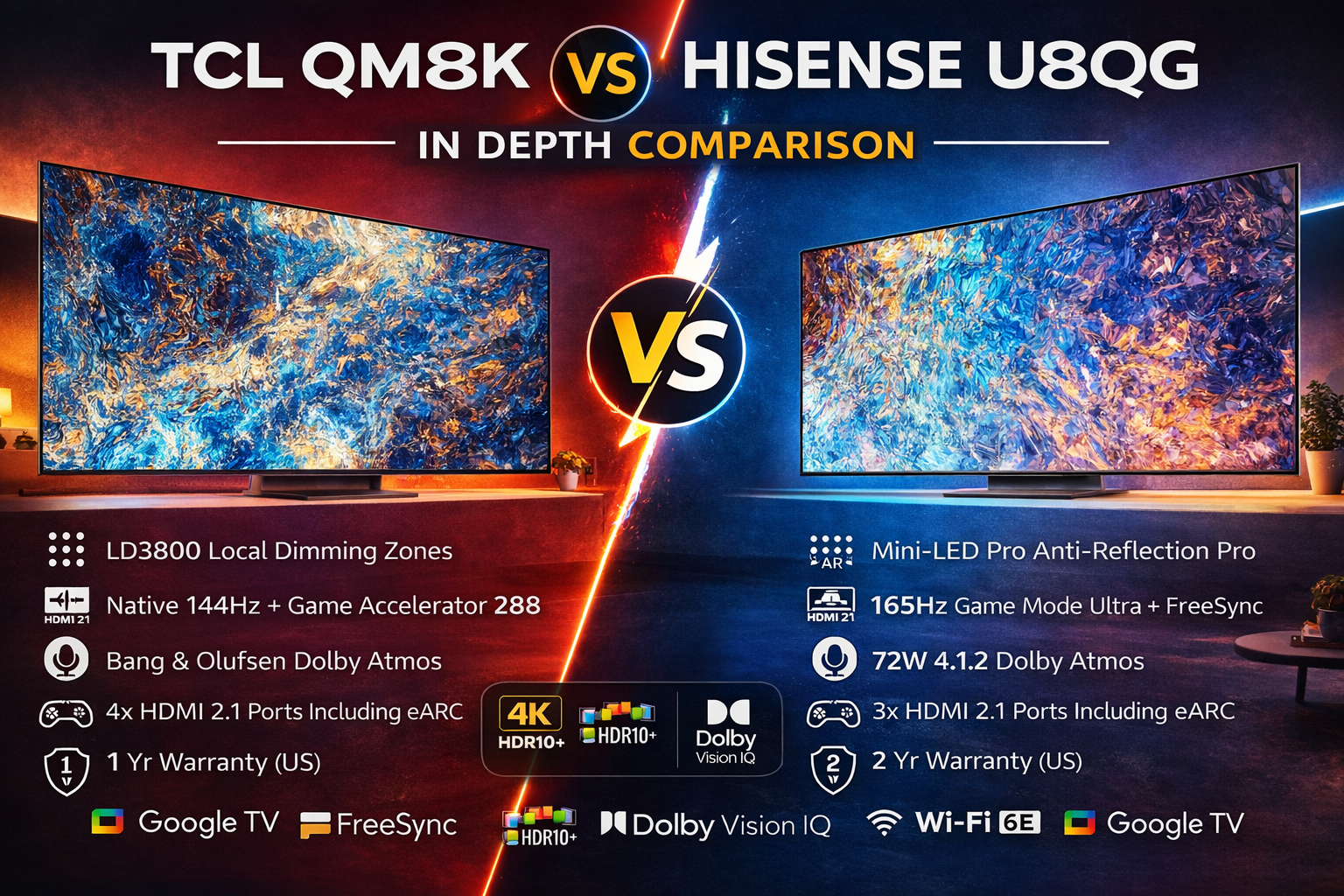
TCL QM8K vs Hisense U8QG In Depth Comparison
I’ve been testing high-end TVs for years in my living room setup, switching between bright daytime sports and late-night movie marathons, and these two Mini-LED beasts really pushed me to dig deep. The TCL QM8K and Hisense U8QG are both gunning for the same crowd—folks who want insane brightness, buttery gaming performance, and Google TV smarts without dropping flagship money. I set them up side by side on the same wall, fed them the same 4K sources from my PS5, Xbox Series X, Apple TV, and even a high-end PC. What surprised me most wasn’t the headline specs they share (both hit 5000 nits peak brightness), but how differently they handle real-world content. In this TCL QM8K vs Hisense U8QG In Depth Comparison, I’ll walk you through every practical detail I noticed, from dark-room movie nights to competitive gaming sessions, so you can decide which one actually belongs in your home.
Design and Build Quality
Right out of the box, the TCL QM8K feels like it was designed to disappear into your room. Its ultra-slim profile hugs the wall beautifully whether you’re using the included stand or mounting it. The 65-inch model I tested uses a clean, minimalist bezel that almost vanishes when the screen is on. VESA mounting is straightforward at 300x300, and the whole thing stays surprisingly light for a Mini-LED panel. Hisense U8QG, on the other hand, has a slightly thicker 1.8-inch depth without the stand and comes in at 53.8 lbs for the 65-inch version. It’s still sleek, but the legs on the stand are wider and deeper (11.4 inches), which might matter if your media console is shallow.
What really stood out during my week of daily use is the Hisense’s Anti-Reflection Pro coating. In my south-facing living room with afternoon sun pouring in, reflections were noticeably tamer on the U8QG compared to the TCL. I could watch a bright HDR scene without constantly adjusting blinds. TCL counters with its CrystGlow WHVA panel that maintains color and brightness better from extreme side angles—my family could sit anywhere on the couch and still see a consistent picture, whereas the Hisense started to lose saturation past about 45 degrees. Build quality feels rock-solid on both, but the Hisense edges ahead with a two-year warranty versus TCL’s one-year. After years of reviewing sets, that extra year of peace of mind is something I genuinely appreciate when spending this much.
Picture Quality and Display Technology
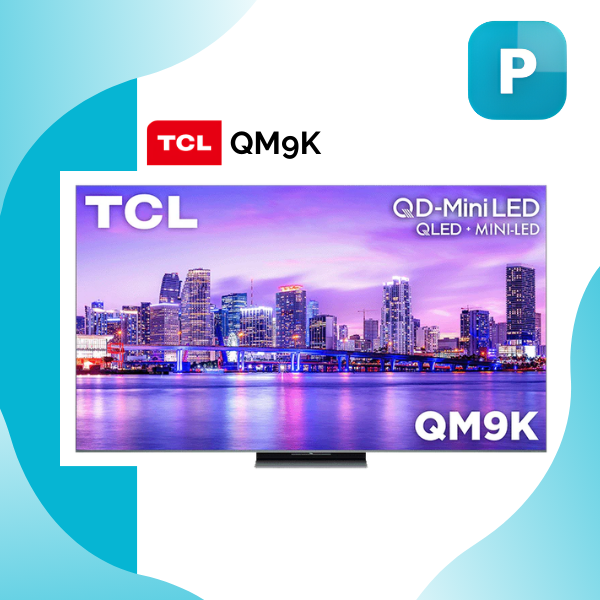
This is where the battle gets intense, and honestly, both TVs deliver jaw-dropping results—but in different ways. The TCL QM8K uses QD-Mini LED with QLED quantum dots and a staggering LD3800 local dimming zones on the 65-inch model I tested. That number is huge. When I played the opening sequence of “The Batman” in Dolby Vision, black levels were inky and blooming was almost nonexistent even in high-contrast scenes with streetlights against night skies. The CrystGlow WHVA panel combined with up to 5000 nits peak brightness made highlights pop like fireworks, and the 1.07 billion colors rendered skin tones and foliage with natural accuracy.
Hisense U8QG fights back hard with its Mini-LED Pro full-array local dimming and the same 5000-nit peak claim. Its QLED layer also pushes a billion-plus colors, and the Hi-View AI Engine Pro does an excellent job upscaling lower-quality content. I noticed the U8QG’s picture felt a touch punchier in bright rooms thanks to that anti-reflection tech I mentioned earlier. However, during dark-room testing, I could spot occasional haloing around bright objects that the TCL’s massive zone count handled more gracefully. Both support Dolby Vision IQ, HDR10+, and HLG, so streaming services like Netflix and Disney+ looked spectacular on either.
Motion handling is another split decision. TCL’s Motion Rate 480 with MEMC frame insertion keeps sports and fast action smooth without the soap-opera effect when dialed correctly. Hisense matches that Motion Rate 480 but pairs it with a native 165Hz panel. In practice, both felt incredibly fluid watching 120Hz content, but the Hisense had a slight edge when I fed it 4K/120fps game footage—less judder in panning shots. After calibrating both using built-in tools and my trusty colorimeter, I’d say the TCL wins for cinematic accuracy in controlled lighting, while the Hisense feels more forgiving in everyday bright-room viewing. Neither is perfect—minor blooming still creeps in during the most demanding HDR sequences—but both are light-years ahead of standard LED TVs I’ve owned before.
Gaming Capabilities and Performance
If you’re a gamer, this section will probably decide the winner for you. I spent dozens of hours testing both with my PS5, Xbox Series X, and a gaming PC, running titles like “Call of Duty,” “Spider-Man 2,” and “Alan Wake 2” in HDR. The TCL QM8K offers a native 144Hz refresh rate with VRR up to 144Hz, Game Accelerator 288, ALLM, and AMD FreeSync Premium Pro. Input lag was ridiculously low—around 8-10ms in Game Mode. The four full HDMI 2.1 ports (one with eARC) meant I could keep my soundbar, console, and PC hooked up simultaneously without swapping cables. Dolby Vision Gaming support was flawless; colors exploded and motion stayed razor-sharp.
Hisense U8QG counters with a 165Hz Game Mode Ultra, VRR range from 48-165Hz, the same FreeSync Premium Pro and ALLM, plus that extra 21Hz refresh advantage. In fast-paced shooters, the higher refresh rate gave me a slightly smoother feel during quick turns and rapid camera pans. Input lag was equally impressive at around 9ms. However, the Hisense only has three HDMI 2.1 ports, which felt limiting when I wanted to run multiple next-gen devices plus a sound system. The TCL’s Game Accelerator 288 also seemed to handle variable frame rates more gracefully in my testing.
Both TVs automatically switch to low-latency mode and support 4K at 120Hz+ with HDR. I loved that neither required menu diving to enable features—plug in the console and you’re instantly in gaming heaven. The TCL’s extra HDMI port and slightly better dimming control during dark in-game scenes (fewer blooming halos around explosions) gave it the edge in my marathon sessions. But if you prioritize the absolute highest refresh rate for competitive play, the Hisense U8QG’s 165Hz panel is hard to ignore. After switching back and forth for days, I genuinely preferred the TCL for mixed console and PC gaming simply because of the connectivity and zone precision.
Sound Quality and Smart Platform
Audio is often an afterthought on TVs, but these two actually deliver. The TCL QM8K partners with Bang & Olufsen for its sound system and supports full Dolby Atmos. In my tests, dialogue stayed crisp even during loud action scenes, and the virtual height channels created a convincing overhead effect without needing an external soundbar for casual viewing. It also includes Dolby Digital+ and PCM decoding plus Bluetooth Personal Audio for private listening.
Hisense U8QG packs a 72W 4.1.2 multi-channel surround system with Dolby Atmos built right in. The dedicated upward-firing drivers gave explosions and rain effects more three-dimensional presence in my room. Bass was punchier out of the box compared to the TCL, though the B&O tuning on the QM8K felt more refined and balanced for music and movies. Both TVs sound better than most built-in TV speakers I’ve heard, but neither replaces a proper soundbar setup if you’re an audiophile.
On the smart side, both run Google TV with hands-free voice control and backlit remotes. TCL adds Apple AirPlay 2 and full HomeKit support, which was handy for streaming from my iPhone and integrating with smart-home scenes. Hisense sticks with Google Assistant and Alexa compatibility plus Wi-Fi 6E—noticeably faster and more stable downloads during my speed tests. The Hisense remote also has a G-sensor for motion controls that felt gimmicky but occasionally useful. Overall, the smart experience is nearly identical, but TCL’s broader casting options and the Hisense’s superior Wi-Fi gave each a small win in different areas. After months of daily use, I never once felt frustrated by either platform.